

 Time off and absence management systems should help employees make valid time off requests (getting them right the first time) and avoid time wasters like having to re-submit requests and later having them re-approved.
Employees should be able to view, in real time, their current available balance, balance history, time off taken and future accruals. These views can reduce or even eliminate information requests to payroll or human resources for the same information. Employees' time off requests should also validate against certain balance and accrual rules when they submit that request. When the employee forms a time off request, a forecast should be run that shows him future available time off. This forecast calculates future accruals through the start date of the request and should subtract already approved/scheduled time off.
Topics: Time Off Management, timesheet, Timesheet Software, Time Tracking Software, SaaS Timesheet, Online Timesheet, Web TimeSheet, Time and Attendance Software, Crew Timesheet
The majority of construction and field services operations use paper crew timesheets to track time by job, cost or craft codes each day. The paper timesheets need to be created, printed and distributed to supervisors by administrative staff at the job site. The main advantage of automating the configuration of crew timesheets is that it allows supervisors to easily change assignments as they come up in the field . An automated field services and crew time tracking system does reduce administrative costs and eliminates double data entry. However, such a system does more:
- It displays a crew timesheet already populated with resources, including job, cost codes, craft level assignments, billing codes and default pay rates if applicable.
- Allows the supervisor to add available resources and have all the above properties of the resource fill in automatically
- Restrict the supervisor, when making or modifying assignments, to only see those cost codes or craft levels a worker is permitted to be assigned.
- Allows crew timesheets to be adjusted throughout the day as workers leave early or replacements show up.
- Where a crew timesheet's setup does not vary much from day to day, a copy previous day feature can carry forward the previous day's assignments and thereby completely eliminate any administrative preparation of a new daily crew timesheet.

Topics: Time Off Management, timesheet, Timesheet Software, Time Tracking Software, SaaS Timesheet, Online Timesheet, Web TimeSheet, Time and Attendance Software, Crew Timesheet
When you automate time tracking perhaps the greatest benefit is an immediate dramatic increase in visibility into timesheets and time off taken, and time off schedules. With manual paper-based timesheets, time cards or Excel sheets, to see any information you have to wait until they are turned in at the end of the day or week. With an automated time tracking system you can see any information you need with one or two clicks.
Employees and supervisors can have real time visibility into the status of their timesheets or requests. Dashboards can show supervisors, payroll or other managers the progress of timesheets throughout the day or week. Automated email reminders to submit or approve timesheets, automated rejection notices for timesheets that need corrections, or notices when time off requests are approved or rejected. A “no excuses” environment where timesheets are completed and approvals are made on time and errors are corrected promptly.
Auditing Everything
In an automated timesheet system time entries, whether they are captured through a browser, time clock or smart phone, have detailed audit trails for DCAA and SOX compliance. Timesheet approvals, rejections, time off requests and approvals or rejections – all of these can be tracked with detailed auditing of creation dates, modification dates and more. All actions, such as creating entries, editing, submitting, approving or rejecting them, can be tracked every step of the way and reported on easily during labor department or finance audits. Auditing also helps to easily resolve internal employee disputes with supervisors, and can become a powerful management tool to ensure that supervisors approve timesheets and time off requests on time.
Conclusion:
Increased visibility into timesheet activities and data alone created significant material benefits to any organization. When employees know that all time tracking activities are closely and easily monitored in real time, they improve their performance. Accordingly, data quality and compliance can improve significantly.
Topics: Time Off Management, timesheet, Timesheet Software, Time Tracking Software, SaaS Timesheet, Online Timesheet, Web TimeSheet, Time and Attendance Software, Crew Timesheet
Topics: Time Off Management, timesheet, Timesheet Software, Time Tracking Software, SaaS Timesheet, Online Timesheet, Web TimeSheet, Time and Attendance Software, Crew Timesheet
Automating Timesheets has benefits, but they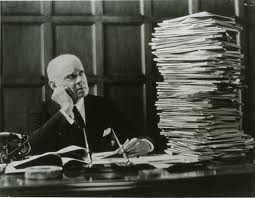 are not obvious
In business, knowing the time it takes to complete a task is very important. Tracking employee time has a long history. Check the history of time clocks in Wikipedia, you'll learn that the founding companies of IBM made the first mechanical punch time clocks, and how more sophisticated devices like proximity, badge swipe or biometric time clocks later came into use. What it does not tell you is how slow the marketplace has been to adopt new technology in time tracking.
Why? What's tried and proven is difficult to replace from the standpoint of 1) cost 2) risk and 3) inertia.
Topics: Time Off Management, timesheet, Timesheet Software, Time Tracking Software, SaaS Timesheet, Online Timesheet, Web TimeSheet, Time and Attendance Software, Crew Timesheet
Mozilla.org recently asked this very important question
The idea of open systems and standards is not new but took some time to take hold. An open web of course is an important extension of that idea. For anything that extends the ability of individuals to communicate and work more productively, or stay abreast of what's important to their lives or the lives of their coleagues, family and freinds, is a force for good in this world. The essence of free markets is a free and fair exchange of ideas and information, filtered up and out rather than down and in. What I mean by that is as filters function more to include what's important to us, rather than to exclude what's noise the open web will truly become more of a reality. And in 2010 I think it's finally starting to happen. We see this with the smart search utilities of Amazon.com, social media such as Digg.com and delicious.com and others. All of these are the next generation of helping us stay abreast of what's important and think and talk about what's most important now, but what is becoming important to us, maybe even before we quite know it. At my own company, Pacific Timesheet, we work with customers and their employees on tracking time, work and leave to help them understand what is most important and what is becoming important to their company, their work and their jobs. Over time we are seeking appropriate ways to migrate social media technology into our products and services, in effect to generate a cumulative benefit that we should expect from any knowledgebase of how people spend their time. Any ideas on how you would like to see this happen at your workplace or within your company? We are all ears. We hope to get there with your help and the help of our customers and employees.
Topics: Time Off Management, timesheet, Timesheet Software, Time Tracking Software, SaaS Timesheet, Online Timesheet, Web TimeSheet, Time and Attendance Software, Crew Timesheet
More configurable attendance timesheet support for shift differentials.
Many union contracts and more complicated work rules require, in addition to shift differential rates or payment amounts, that workers are paid certain separate regular, overtime or double time rates for shift work. In addition, shift differential rules can require configurable definitions of which shift hours are included in these calculations, such as starting before a shift, during a shift, or the entire shift. Pacific Timesheet Time and Attendance software handles this support while providing seamless integration with more than 250 payrolls, accounting and ERP systems. Pacific Timesheet Time and Attendance software also supports an unlimited number of complex shifts, allowing different sets of shifts for different types of employees.
Jim Dickerson, VP of Operation stated, "Many of our customers require flexibility in shift differential software to support highly complex work and pay rules. Pacific Timesheet's highly configurable shift differential support allows for multiple shift rules, shift premiums and shift schedules."
Pacific Timesheet Time and Attendance software allows customers to track time and attendance and time off by job. With a variety of rules exceptions, such as including holidays in overtime calculations, for support for meal penalties and split shift differentials, Pacific Timesheet Time and Attendance software allow employers to track any kind of work rules and policies. Dickerson continued, "Pacific Timesheet's shift differential support provides the same ease of use and administration as our other enterprise class features. As well, our customers continue to work closely with us on our product road map to ensure the product continues to meet increasingly complex labor rules while retaining its core flexibility."
Topics: Time Off Management, timesheet, Timesheet Software, Time Tracking Software, SaaS Timesheet, Online Timesheet, Web TimeSheet, Time and Attendance Software, Crew Timesheet
Flexible Holidays and More Customized Time Off Rules
A time off and absence management system need the hours granted to an employee for time off to vary by country, employee type or some other variable. A best practice is to grant time off for holidays and other paid leave as a percentage of a full-time employee's hours per day worked. Therefore, a time off system needs to be able to support a "full-day" holiday, e.g. 8 hours off for Christmas Day, or a "half-day" holiday, e.g. 4 hours off for New Year's Eve. For scheduled vacation or non-holiday time such as personal days, there also needs to be ability to schedule time for half or even quarter days. In other cases, this might need to be scheduled in hours with minimum rules supported. Pacific Timesheet's lastest release now allows customers to configure these and other settings using the system administrator user interface:
Topics: Time Off Management, timesheet, Timesheet Software, Time Tracking Software, SaaS Timesheet, Online Timesheet, Web TimeSheet, Time and Attendance Software, Crew Timesheet
- Bill Rates, Pay Rates Now Can Be Imported/Exported
If your bill or pay rates depend primarily on the employee, you can now import/export them from the menu above the employee list on the Employees tab. Both the default rates as well as the exception rates are imported/exported. - New Timesheet and Leave Request Status Filters
When listing timesheets and leave requests on the Timesheets, Approvals or Leave Requests tabs, you can now choose from two new status filters: "Approved (All Levels)" and "Approved (Any Level)". This applies only if you have multiple approval levels enabled (System > General page). Previously there was just the "Approved" status filter, which behaved the same as the new "Approved (All Levels)" status filter. - Unapproving Leave Requests Now Removes Leave From Timesheet
This applies to employee policies that are set to automatically put approved leave request hours onto the timesheet (see the System > Policies > Schedule Rules page). In previous versions, if you approved a leave request it would then place the hours onto the employee's timesheet. If you subsequently unapproved, rejected or deleted the request the hours would remain on the timesheet. This version will automatically remove the leave hours from the timesheet if they were placed there by the request approval process.
www.pacifictimesheet.com/timesheet_support/pacific_timesheet_release_notes.htm
Topics: Time Off Management, timesheet, Timesheet Software, Time Tracking Software, SaaS Timesheet, Online Timesheet, Web TimeSheet, Time and Attendance Software, Crew Timesheet